
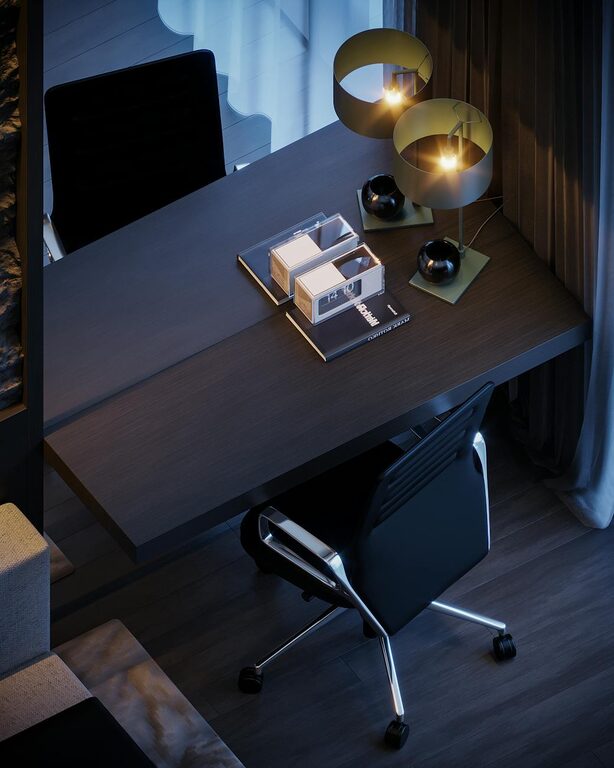
Creating a cozy and inviting home office space can transform the way you work, making your day more enjoyable and your tasks more productive. Whether you have a dedicated room or just a corner in your living area, a thoughtfully designed workspace can help you focus and feel comfortable throughout your workday.
In this post, we will explore practical tips to help you create a home office that is both functional and welcoming. From choosing the right furniture to optimizing lighting and adding personal touches, these strategies will guide you in crafting the perfect environment for working from home.
Choose the Right Location
Find a Quiet Spot
Start by selecting a quiet area in your home where you can minimize distractions. Ideally, this space should be away from noisy parts of your house, such as the kitchen or entertainment zones.
Utilize Natural Light
If possible, position your desk near a window to benefit from natural light. Natural light helps reduce eye strain and boosts mood, making your work hours more pleasant.
Invest in Comfortable Furniture
Ergonomic Chair
A supportive chair is essential for comfort and good posture. Look for one that offers adjustable height, lumbar support, and comfortable cushioning.
Functional Desk
Choose a desk that suits your needs in terms of size and storage. A surface with enough room for your computer, notebooks, and other essentials will keep your workspace organized and efficient.
Optimize Lighting
Use Layered Lighting
Combine different lighting sources such as overhead lights, desk lamps, and ambient lighting. This approach prevents harsh shadows and reduces eye fatigue.
Adjust Brightness
Select bulbs with adjustable brightness or color temperature to match your tasks—warmer light for relaxing breaks and cooler light for focused work.
Organize Your Space
Declutter Regularly
Maintain a tidy desk by organizing supplies and papers. Use trays, file holders, or drawers to keep everything neat and within reach.
Use Storage Solutions
Shelves, bins, and baskets can help store items you don’t use daily but want nearby. Keeping your office clutter-free contributes to a calm atmosphere.
Add Personal Touches
Incorporate Artwork
Hang inspiring artwork or photos that uplift your spirits and add character to the room.
Use Plants
Indoor plants not only beautify your space but also improve air quality and create a sense of calm.
Soft Textiles
Throw pillows, rugs, or cozy blankets can add warmth and make your office feel more inviting.
Manage Cables and Technology
Cable Management
Use clips, sleeves, or boxes to hide or organize cables. A clean cable setup prevents distractions and potential tripping hazards.
Invest in Quality Tech
Reliable hardware such as a good monitor, keyboard, and mouse can enhance your comfort and productivity.
Set Boundaries for Work and Rest
Define Work Hours
Especially in a home setting, creating a routine helps maintain a balance between work and personal time.
Include a Relaxation Area
If space allows, add a small chair or cushion where you can take short breaks to recharge.
Incorporate Inspiring Elements
Use a Vision Board
Keep a board or a section of a wall where you display motivational quotes, goals, or ideas. This can help keep you inspired throughout the day.
Choose Pleasant Colors
Color psychology shows that shades like soft blues, greens, or warm neutrals can create a peaceful environment.
—
Designing your home office to be cozy and inviting does not have to be complicated or expensive. By focusing on comfort, organization, lighting, and personal touches, you can create a workspace that encourages productivity and makes working from home a pleasure. Start small, and gradually improve your space until it feels just right for you.